From entry to result
Know when to start warming up. To the minute.
Official shows via Equipe and Equibel, and your own club shows in EquiCM. Riders follow their start time and warm-up time live, organisers draw the start list and publish results with one tap.
In the app
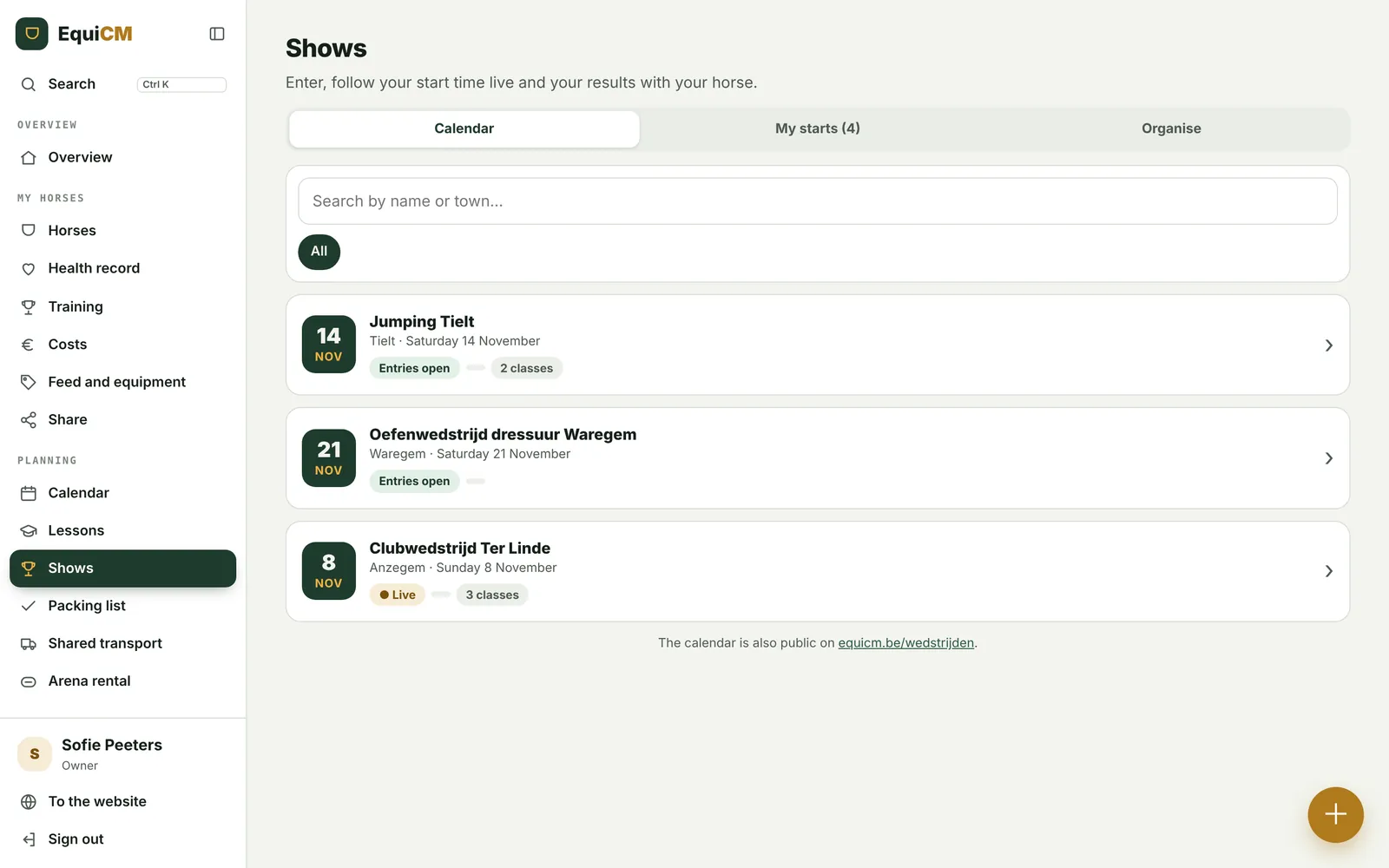
This is what it looks like.
Real screens from the demo app with the sample stable. Click an image to view it large.
What you do with it
All about shows.
Two ways
Official shows and club shows, in one place.
Official federation shows run through Equipe and Equibel. EquiCM works alongside them. Organising a club show, practice course or training day yourself? You do it all in EquiCM.
Via Equipe and Equibel
- You enter via Equibel, as always
- In EquiCM you paste the Equipe link and your start number
- Whoever's at the ring taps +1 per rider: your start time and warm-up time follow
- After your round: result and video with your horse
For riding schools, clubs and organisers
- Create classes, riders enter with their horse
- Draw the start list with one tap
- Next rider: everyone sees their start time live
- Publish results: they reach each horse automatically
How, what and when
Every feature, step by step.
Click open for details.
Plan showsOfficial shows and club shows in one calendar
How
Organiser: create the show with name, date, place and the classes (one per line, with start time). Rider: add an official show with the Equipe or Equi-score link, your class and start number, or enter a show in EquiCM.
What
Name, date and place, the classes with height and start time, the seconds per rider, info for riders (entry fee, parking), your horse and who's coming. Everything is with the horse and in the stable calendar.
When
Organisers ideally add the show 3 to 4 weeks ahead. Riders add an official show as soon as they've entered with Equibel; entering in EquiCM is possible until the start list is drawn.
Live start timeYour start time follows what's happening in the ring
How
At a show in EquiCM the organiser taps "Next rider". At an official show whoever is at the ring taps +1. Using the seconds per rider, EquiCM works out your start time.
What
Your start number, who's in the ring now, how many riders are still ahead of you and your estimated start time. Everyone at your stable sees it too: your groom, your trainer, the owner.
When
On show day, from the first rider. The start time shifts live with withdrawals, a break or a course rebuild.
Warm-upReady on time, not too early and not too late
How
For each class the organiser sets how many minutes beforehand riders should start warming up. At your own show you choose it yourself. EquiCM subtracts it from your start time.
What
The time to start warming up, big on Today, and a pop-up with vibration when there are 8, 3 and 0 riders to go.
When
Default 20 minutes before your start, for pony or young horse classes often 15. Adjustable per class.
ResultsThe result reaches the horse automatically
How
After the class the organiser fills in place, faults and time per rider and publishes the results. For an official show you fill in your own result, with a link to the results on Equipe.
What
Place, faults, time, a short note and the video. It all collects per horse under Shows: handy for the trainer and for a sales file.
When
Straight after the class. Everyone who entered gets a notification as soon as the result is up.
VideosYour best rounds with the horse
How
At your start, paste the link to your round: from ClipMyHorse.TV, YouTube or a shared album on your phone (Google Photos, iCloud).
What
One video per start, visible to everyone at your stable and your trainer. So you can discuss together what could be better.
When
After your round, or the next day when the ClipMyHorse footage is online.
Shared transportRoom in the lorry? Share the ride
How
At a show, tap "Offer a ride": destination and date are already filled in. Choose how many horses can come; others take a spot with their horse.
What
Departure time, meeting point, free spots and agreements on costs. After the ride you send each passenger a payment request with QR code.
When
As soon as you know you're going, ideally a week ahead. Riders at your stable get a notification.
From setup to result
This is how a show works.
Create a show
Name, date, place and the classes with start time. Add the Equipe link if you also publish there. Riders in your area and at your stable see the show right away.
Receive entries
Riders enter with their horse. You see per class how many riders there are and can adjust your schedule.
Draw the start list
One tap per class. Every rider gets their start number and an estimated start time on their phone.
Follow the ring live
Tap Next rider at every start. Everyone sees their start time and warm-up time shift live, the groom and the trainer too.
Publish results
Place, faults and time per rider. The result reaches each horse right away; everyone gets a notification.
Thank and continue
Riders add their video to their start. Next time you copy the show and change the date.
Add a show
Official: paste the Equipe or Equi-score link and your start number. Club show in EquiCM: tap Enter and choose your horse.
Ride and schedule
Offer a seat in your lorry or take one. Your stable sees you're away.
Start number
As soon as the start list is drawn, you see your start number and estimated start time.
Live start time
On Today you see your start time and when to start warming up. Pop-ups at 8, 3 and 0 riders to go.
Result and video
The result reaches your horse. Add your video and discuss it with your trainer.
Other players
EquiCM works with what you already use.
Nobody has to switch. EquiCM brings everything together around your horse and links to the official platform.
Equipe
The organiser publishes start lists and results from Equipe on online.equipe.com and in the Equipe app. Results come in live.
Now · Link per show and classEquibel
Via Equibel you enter official national shows and find calendars, schedules and provisional lists.
Now · Link to your entryEqui-score
Platform where show offices publish start lists, results, course plans and PDFs in one click; in Flanders also used for show jumping.
Now · Link per showHippomundo
Database with sport results, pedigree and level of horses, with weekly national results from several countries.
Later · Partner integration (later)ClipMyHorse.TV
Livestreams and videos of rounds. In EquiCM you paste the link to your round with your start.
Now · Video link with your startFEI Entry System
International entries go through the FEI system and your national federation.
Now · Link with the showEquiManager
Online entry platform used by Sport Vlaanderen Waregem among others for its training and show weeks.
Now · Link per showSport Vlaanderen and riding schools
Sports centres and riding schools rent arenas and organise training days. In EquiCM you offer an arena by the hour or the day.
Now · Arena rental in EquiCMSources: Equipe – online results · Equi-score – service · Equnews on start lists · Hippomundo · Equibel – FEI entry system · Sport Vlaanderen Waregem (EquiManager). An automatic link with Equipe or Equi-score start lists needs an agreement with those partners.
How it works
In three steps.
Put the show in EquiCM
Organiser: classes and start times. Rider: enter, or paste the Equipe link.
Follow live
Start number, start time and warm-up time, live on your phone.
Result and video with your horse
Place, faults, time and your round, kept per horse.
For whom
What's in it for you.
Draw start lists, follow the ring live and publish results, without paper or separate software.
No stress at the ring: you know exactly when to start warming up.
You see live when your riders start and how they did.
Questions
What people often ask.
Do official start lists come from Equipe automatically?
Not yet. Equipe and Equi-score don't offer a public integration. You paste the show link and tap +1 per rider yourself. An automatic link needs an agreement with those partners and is on our roadmap.
Can a riding school or club organise a show in EquiCM?
Yes. Choose ‘I organise shows’ (EquiCM Stable) at the start, create the show with your classes, and riders enter with their horse. Drawing the start list, live tracking and publishing results are included.
Do I still need to enter via Equibel?
For official federation shows, yes. EquiCM doesn't replace Equibel; it brings your shows, start time and results together with your horse.
Does it work for dressage and eventing?
Yes. You set per class how many minutes there are per rider. In dressage that's often more fixed, in eventing per phase.
Get started
Try shows yourself.
Do the five tasks on the home screen, or open the demo app with a complete sample stable. Owners, riders and professionals use EquiCM for free.
All features